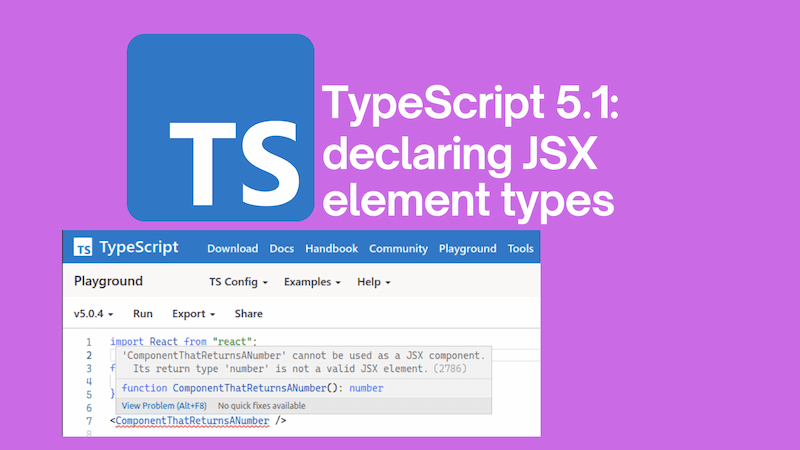
TypeScript 5.1: declaring JSX element types

· 6 min read
John Reilly
OSS Engineer - TypeScript, Azure, React, Node.js, .NET

A new feature arrives with TypeScript 5.1, it is described as "Decoupled Type-Checking Between JSX Elements and JSX Tag Types".

It's all about handing control of JSX type definitions to libraries. With this feature, libraries can control what types are used for JSX elements. Why does this matter? Great question! Until version 5.1, TypeScript did an imperfect job of representing what is possible with JSX. This feature allows libraries to do a better job of that, and we'll look into it in this post.

It's probably worth saying, that this is a complicated feature. If you don't understand it (and as the author of this post I'll confess that I had to work quite hard to understand it), that is okay. This is a low level feature that is only likely to be used by library / type definition authors. It's a primitive that will unlock possibilites for people writing JSX - but it's something that people will mainly feel the benefit of, without directly doing anything themselves, or necessarily noticing that things have changed for the better.

title image reading "TypeScript 5.1: declaring JSX element types" with the TypeScript logo

Azure Container Apps, Bicep, managed certificates and custom domains

· 9 min read
John Reilly
OSS Engineer - TypeScript, Azure, React, Node.js, .NET

Azure Container Apps support managed certificates and custom domains. However, deploying them with Bicep is not straightforward - although it is possible. It seems likely there's a bug in the implementation in Azure, but I'm not sure. Either way, it's possible to deploy managed certificates and custom domains using Bicep. You just need to know how.

If, instead, you're looking to make use of the "bring your own certificates" approach in Azure Container Apps using Bicep, then you might want to take a look at this post on the topic.

Updated 08/11/2025 - with bindingType: 'Auto' you can deploy in one go

Since originally writing this post, the need to use multiple pipeline runs to deploy has been resolved. It is now possible to deploy managed certificates and custom domains to Azure Container Apps using a single Bicep deployment. To do that you'll need to use the Microsoft.App containerApps 2025-07-01 API version (or newer).

That API version introduced the ability to create a managed certificate resource without needing to first create a disabled custom domain on the container app. This means you can now do it all in one go. This is achieved with the use of a new bindingType value of Auto on the customDomains property.

Using the new approach, the Bicep required to create a managed certificate and custom domain looks like this:

resource containerApp 'Microsoft.App/containerApps@2025-07-01' = {
//...
properties: {
configuration: {
//...
ingress: {
//...
customDomains: empty(customDomainName) ? [] : [
{
name: customDomainName
bindingType: 'Auto'
}
]
//...
}
//...
}
//...
}
//...
}

resource managedEnvironmentManagedCertificate 'Microsoft.App/managedEnvironments/managedCertificates@2025-07-01' = if (!empty(customDomainName)) {
parent: managedEnvironment
name: '${managedEnvironment.name}-cert'
location: location
tags: tags
properties: {
subjectName: customDomainName
domainControlValidation: 'CNAME'
}
dependsOn: [
containerApp
]
}

azd deploy with Microsoft.App containerApps 2025-07-01

If you're using Azure Developer CLI (azd) to deploy your Azure Container Apps, as described in this post, then you'll find that an issue can present when you try to deploy the custom domain and managed certificate using the Microsoft.App/containerApps@2025-07-01 API version.

The following error shows up when using azd deploy:

ERROR: failed deploying service 'app': updating container app service: getting container app: getting container app: unmarshalling type *armappcontainers.ContainerApp: unmarshalling type *armappcontainers.ContainerApp: struct field Properties: unmarshalling type *armappcontainers.ContainerAppProperties: struct field Configuration: unmarshalling type *armappcontainers.Configuration: struct field Ingress: unmarshalling type *armappcontainers.Ingress: struct field CustomDomains: unmarshalling type *armappcontainers.CustomDomain: struct field BindingType: json: cannot unmarshal number into Go value of type armappcontainers.BindingType
Suggestion: set 'apiVersion' on your service in azure.yaml to match the API version in your IaC:

services:
your-service:
apiVersion: 2025-02-02-preview

In fairness, this is a quite helpful error message. It suggests that you can resolve it by specifying the API version in your azure.yaml file like so:

# yaml-language-server: $schema=https://raw.githubusercontent.com/Azure/azure-dev/main/schemas/v1.0/azure.yaml.json

name: my-container-app
metadata:
template: azd-init@1.9.4
services:
app:
image: myregistry.azurecr.io/${CONTAINER_IMAGE_NAME}:${APP_VERSION_TAG}
host: containerapp
resourceName: ${CONTAINER_APP_NAME}
apiVersion: 2025-07-01

With this in place, azd deploy will work as expected. Hopefully one day, supplying the API version in azure.yaml won't be necessary. I've raised an issue about this here.

Anyway, if for some reason you can't use the Microsoft.App/containerApps@2025-07-01 API version, then you can still use the three pipeline approach described below. Back to the original post...

The dreaded message

I've facetiously subtitled this post "a three pipe(line) problem" because it took three Azure Pipelines to get it working. This is not Azure Pipelines specific though, it's just that I was using Azure Pipelines to deploy the Bicep. Really, this applies to any way of deploying Bicep. GitHub Actions, Azure CLI or whatever.

If you're here because you've encountered the dreaded message:

Creating managed certificate requires hostname '....' added as a custom hostname to a container app in environment 'caenv-appname-dev'

Then you're in the right place. I'm going to explain how to get past that error message and get your custom domain working with your Azure Container App whilst still using Bicep. It's going to get ugly. But it will work.


title image reading "Azure Container Apps, Bicep, managed certificates and custom domains" with the Azure Container App logos

Azure Container Apps, Easy Auth and .NET authentication

· 9 min read
John Reilly
OSS Engineer - TypeScript, Azure, React, Node.js, .NET

Easy Auth is a great way to authenticate your users. However, when used in the context of Azure Container Apps, .NET applications do not, by default, recognise that Easy Auth is in place. You might be authenticated but .NET will still act as if you aren't. builder.Services.AddAuthentication() and app.UseAuthentication() doesn't change that. This post explains the issue and solves it through the implementation of an AuthenticationHandler.

title image reading "Azure Container Apps, Easy Auth and .NET authentication" with the Azure Container App logos

Private Bicep registry authentication with AzureResourceManagerTemplateDeployment@3

· 4 min read
John Reilly
OSS Engineer - TypeScript, Azure, React, Node.js, .NET

If you deploy Bicep templates to Azure in Azure DevOps, you'll likely use the dedicated Azure DevOps task; the catchily named AzureResourceManagerTemplateDeployment@3. This task has had support for deploying Bicep since early 2022. But whilst vanilla Bicep is supported, there's a use case which isn't supported; private Bicep registries.

title image reading "Private Bicep registry authentication with AzureResourceManagerTemplateDeployment@3" with the Bicep, Azure and Azure DevOps logos

Static Web Apps CLI and Node.js 18: could not connect to API

· 4 min read
John Reilly
OSS Engineer - TypeScript, Azure, React, Node.js, .NET

I make use of Azure Static Web Apps a lot. I recently upgraded to Node.js 18 and found that the Static Web Apps CLI no longer worked when trying to run locally; the API would not connect when running swa start:

[swa] ❌ Could not connect to "http://localhost:7071/". Is the server up and running?

This post shares a workaround. This works for v1.1.3 or earlier of the Static Web Apps CLI. If you're using v1.1.4 or later, you should not need this workaround. But in that case you might find this post helpful on improving performance with 1.1.4 or later.

title image reading "Static Web Apps CLI and Node.js 18: could not connect to API" with the Static Web Apps CLI and Node.js logos

TypeScript 5: importsNotUsedAsValues replaced by ESLint consistent-type-imports

· 7 min read
John Reilly
OSS Engineer - TypeScript, Azure, React, Node.js, .NET

I really like type imports that are unambiguous. For this reason, I've made use of the "importsNotUsedAsValues": "error" option in tsconfig.json for a while now. This option has been deprecated in TypeScript 5.0.0, and will be removed in TypeScript 5.5.0. This post will look at what you can do instead.

title image reading "TypeScript 5: importsNotUsedAsValues replaced by ESLint consistent-type-imports" with the ESLint and TypeScript logo

Teams Direct Message API with Power Automate

· 11 min read
John Reilly
OSS Engineer - TypeScript, Azure, React, Node.js, .NET
Chris Tacey-Green
Engineer, Architect, Human

I've written previously about sending Teams notifications using a webhook, and it's a technique I've used a lot. But I've always wanted to be able to send a direct message to a user, and that's not possible with the webhook approach. I work with a marvellous fellow named Chris Tacey-Green, and he's figured out a way to do this using Power Automate and the Teams Notification API. I'm going to describe how he did it here, with a little help from him.

It's probably worth saying, both Chris and I work for Investec, and we're going to share some of the things we've learned about using Teams and Power Automate in the hope that it's useful to others. But we're not speaking on behalf of Investec, and we're not suggesting that this is the best way to do things. This is likely in the "do things that do not scale" category. Significantly though, it works!

You will see some screenshots of our internal Teams environment, but we've tried to keep them to a minimum, and we're not going to share any sensitive information.

title image reading "Teams Direct Message API with Power Automate" with a Teams logo

Bicep user defined types and Bash single item arrays

· 5 min read
John Reilly
OSS Engineer - TypeScript, Azure, React, Node.js, .NET

When sending a single item array to a Bicep template you may get an error like this:

ERROR: InvalidTemplate - Deployment template validation failed: 'Template parameter 'allowedIPAddresses' was provided an invalid value. Expected a value of type 'Array', but received a value of type 'String'.

This is down to the fact that Bash arrays when used with the Azure CLI can be a little surprising. If we initialise a single item array then it's not an array. It's a string. This is a bit of a pain when you're trying to pass a single item array to a Bicep template. It's possible to work around this with JSON and Bicep user defined types. Let's see how.

title image reading "Bicep user defined types and Bash single item arrays" with a Bicep logo

Migrating from ts-node to Bun

· 10 min read
John Reilly
OSS Engineer - TypeScript, Azure, React, Node.js, .NET

I've wanted to take a look at some of the alternative JavaScript runtimes for a while. The thing that has held me back is npm compatibility. I want to be able to run my code in a runtime that isn't Node.js and still be able to use npm packages. I've been using ts-node for a long time now; it's what I reach for when I'm building any kind of console app. In this post I want to port a console app from ts-node to Bun and see how easy it is.

title image reading "From ts-node to Bun"

Node.js 18, Axios and unsafe legacy renegotiation disabled

· 4 min read
John Reilly
OSS Engineer - TypeScript, Azure, React, Node.js, .NET

Node.js 18 doesn't allow legacy TLS renegotion by default. But some APIs still need it. Also, corporate network traffic network is often subject to SSL inspection and that can manifest as a downgrade in TLS negotiation. Palo Alto Networks SSL Inbound Inspection is an example of an SSL inspector that can downgrade TLS.

This post shows how to support work around this issue with Axios.

title image reading "Node.js 18, Axios and unsafe legacy renegotiation disabled" and Axios / Node.js logos

Docusaurus blogs: using the createFeedItems API with git commit date

· 6 min read
John Reilly
OSS Engineer - TypeScript, Azure, React, Node.js, .NET

A new API landed in Docusaurus 2.3.0 - it's called createFeedItems. It's a great API that allows you to tweak the Atom / RSS / JSON feeds for your blog. This post shows how to use it with the git commit date.

This post builds upon a technique we've previously used to drive the lastmod properties of our sitemap. You can read about driving lastmod from git commit here.

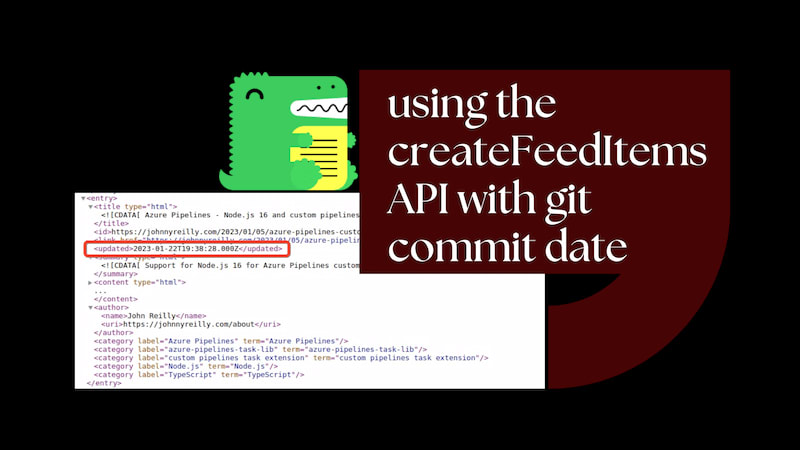
title image reading "Docusaurus: using the createFeedItems API with git commit date" with the Docusaurus logo

How I ruined my SEO

· 10 min read
John Reilly
OSS Engineer - TypeScript, Azure, React, Node.js, .NET

In October 2022 traffic to my blog dropped like a stone. What happened? Somehow I ruined my SEO. Don't be me. I'll tell you what I got up to and hopefully you can avoid doing the same.

Updated 20/11/2023: SEO fixed!

There's a follow up to this named "How we fixed my SEO" that you may enjoy.

title image reading "How I ruined my SEO" with an image of a tire fire in the background