Standard.site Docusaurus with Sequoia

I've kept hearing talk of Standard.site recently. But every time I heard about it, I didn't get it. I then read this primer on it, and if I'm totally honest, I still didn't entirely get it. I'm feeling a bit thick. But that's okay.
I think that it's sort of like RSS + AtProto. Ish. Well. I have a blog - you're reading it! It has an RSS feed. I'm on Bluesky - mostly (if I'm honest) for the purposes of posting picture of Hammerton's Ferry terminal each morning at dawn.
Well, since I have these two things, let's see if I can plug Standard.site support in using Sequoia. I may even learn, along the way what I'm actually doing! (And I may not, and that's okay too.)
Sequoia?
Sequoia is a CLI tool that describes itself as "a simple CLI for creating standard.site documents from your existing static blog." My blog runs on Docusaurus - which is a Markdown / React flavoured static site generator.
So I think I should be able to plug Sequoia into my blog fairly easily. Probably. I'm going to have a crack anyways.
Setting up Sequoia
First things first, the quickstart tells me to install the Sequoia CLI as a global tool. Already I can feel myself rebelling against this. For reasons that I can't fully explain, I hate installing global tools. Probably they remind me of global variables. Hard to say.
Well, I decide to fight back and roll with this instead:
npx sequoia-cli
And it's fine. So let's login:
npx sequoia-cli login
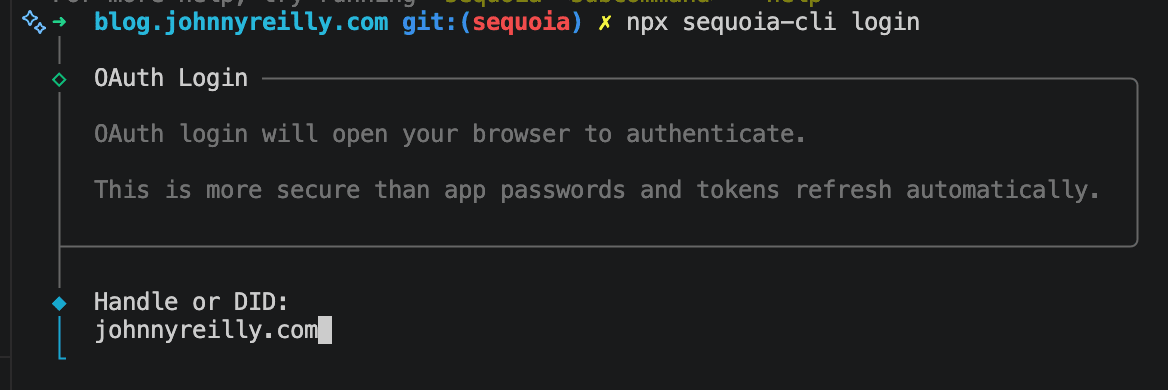
Well that went great. This is the alternative option using app passwords:
npx sequoia-cli auth
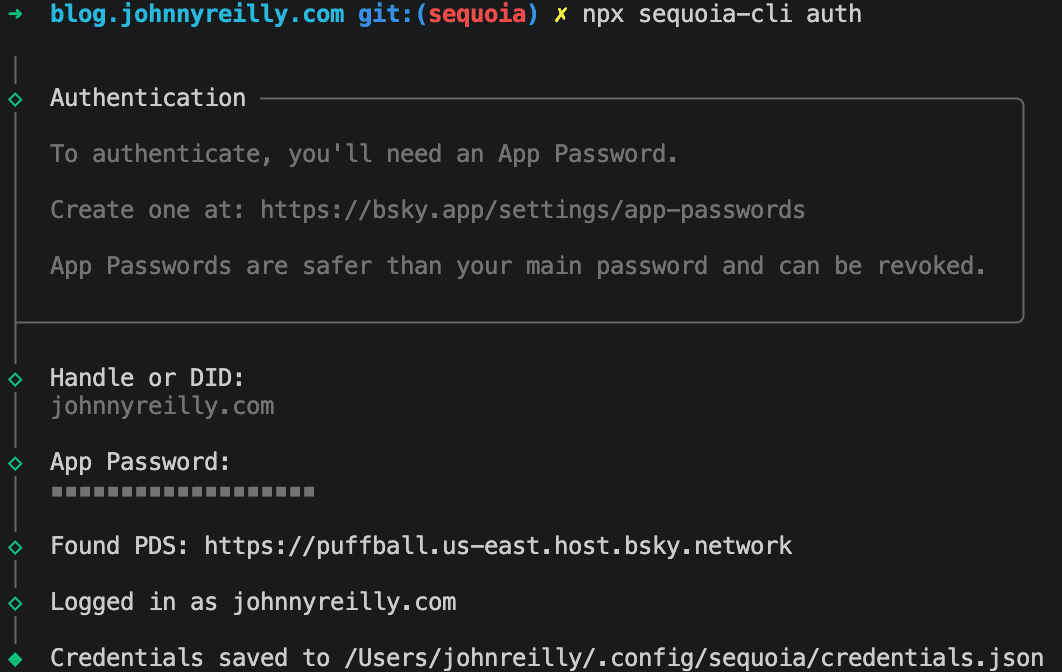
I'm pretty sure that I'm going to want this flow, as I want my CI to handle publishing for me, I don't want to do it by hand. I wonder if I'm right...
Time to initialise:
npx sequoia-cli init
I had to answer a number of questions, which eventually created this sequoia.json file:
{
  "$schema": "https://tangled.org/stevedylan.dev/sequoia/raw/main/sequoia.schema.json",
  "siteUrl": "https://johnnyreilly.com",
  "contentDir": "./blog",
  "publicDir": "./static",
  "outputDir": "./build",
  "publicationUri": "at://did:plc:yy3apqjlms24kso7ahn7lbmb/site.standard.publication/3mova7c4nho2b",
  "pdsUrl": "https://puffball.us-east.host.bsky.network",
  "frontmatter": {
    "coverImage": "image"
  },
  "publishContent": true,
  "bluesky": {
    "enabled": true
  }
}
With that, I decided to see what publishing might look like:
npx sequoia-cli publish --dry-run
It suggested the following:
Tip: Add "identity": "johnnyreilly.com" to sequoia.json to use this by default.
I followed this advice. Terrifyingly, it also suggested it was going to publish every post I had ever written. Given these is hundreds of posts going back to 2012, this seemed a bit much.
Docusaurus meet Sequoia
At this point I think we have the basics of Sequoia publishing set up, we now need to make Docusaurus play nice with it. Or try.
So why is it trying to publish everything? My money is on Sequoia not being able to detect when my blogs are published. The config docs suggest I need a frontmatter.publishDate:
Field name for publish date (checks "publishDate", "pubDate", "date", "createdAt", and "created_at" by default)
Now if you look at the frontmatter for my blog posts, you'll see there is no field that matches up with the above.
---
slug: standard-site-docusaurus-with-sequoia
title: 'Standard.site Docusaurus with Sequoia'
authors: johnnyreilly
tags: [docusaurus]
image: ./title-image.png
hide_table_of_contents: false
description: 'How to add Standard.site support to a Docusaurus site with Sequoia'
---
You can see that the date exists, but it's simply being inferred from the folder name:
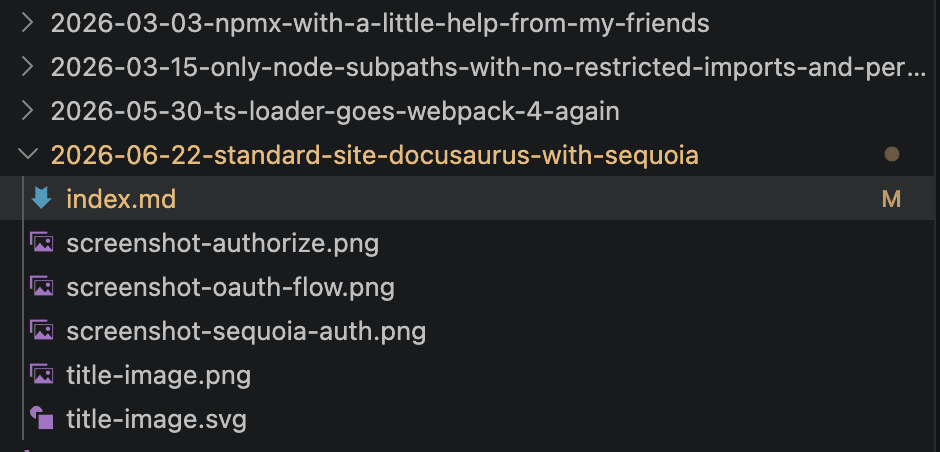
This is one of the many patterns that Docusaurus supports. But it happily supports providing date as a frontmatter item as well. So I think that's what I'll do. I'll just make every index.md file have an date: yyyy-MM-dd entry in the frontmatter.
The following Node.js script updated my existing frontmatters:
import { readdirSync, readFileSync, writeFileSync } from 'fs';
import { join } from 'path';

const blogDir = new URL('./blog', import.meta.url).pathname;

for (const entry of readdirSync(blogDir)) {
  if (!/^\d{4}-\d{2}-\d{2}-/.test(entry)) continue;

  const date = entry.slice(0, 10);
  const filePath = join(blogDir, entry, 'index.md');

  let content;
  try {
    content = readFileSync(filePath, 'utf8');
  } catch {
    continue;
  }

  const fmMatch = content.match(/^---\n([\s\S]*?)\n---/);
  if (!fmMatch || fmMatch[1].includes('\ndate:')) continue;

  const updated = content.replace(
    /(^---\n[\s\S]*?^authors:.*$)/m,
    `$1\ndate: ${date}`,
  );

  if (updated !== content) {
    writeFileSync(filePath, updated, 'utf8');
    console.log(`Updated: ${entry}`);
  }
}
That done, I decided to npx sequoia-cli publish --dry-run once more.
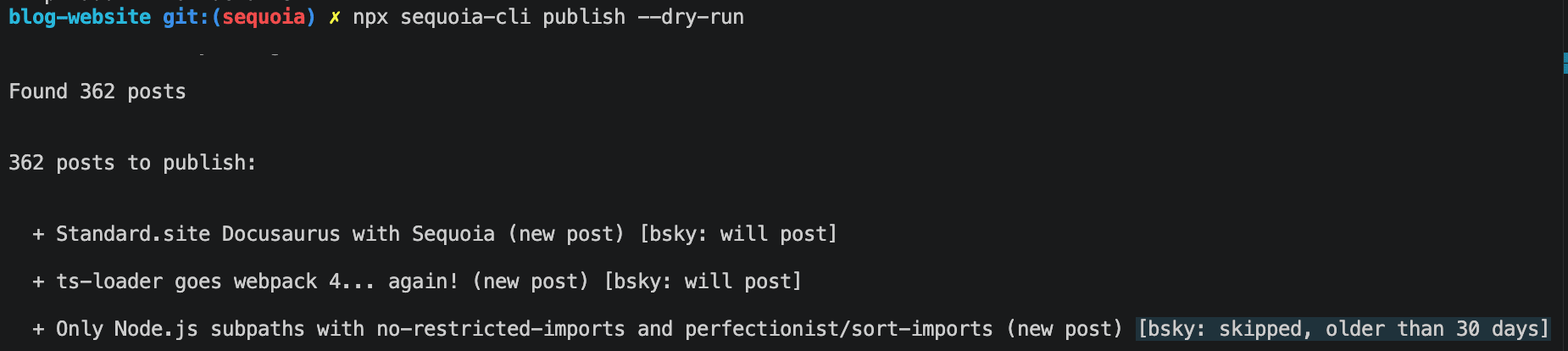
This time of my 362 posts, only 2 were going to be published to Bluesky. Better. Along the way I'd fiddled with my sequoia.json and it now looked like this:
{
  "$schema": "https://tangled.org/stevedylan.dev/sequoia/raw/main/sequoia.schema.json",
  "siteUrl": "https://johnnyreilly.com",
  "identity": "johnnyreilly.com",
  "contentDir": "blog",
  "publicDir": "static",
  "outputDir": "build",
  "publicationUri": "at://did:plc:yy3apqjlms24kso7ahn7lbmb/site.standard.publication/3mova7c4nho2b",
  "pdsUrl": "https://puffball.us-east.host.bsky.network",
  "frontmatter": {
    "coverImage": "image",
    "publishDate": "date",
    "slugField": "slug",
    "titleField": "title",
    "descriptionField": "description"
  },
  "publishContent": true,
  "bluesky": {
    "enabled": true,
    "maxAgeDays": 30
  }
}
The quickstart would have me hitting publish now, but I don't want that. I want it tied into my CI.
GitHub Actions
There were docs precisely for this.
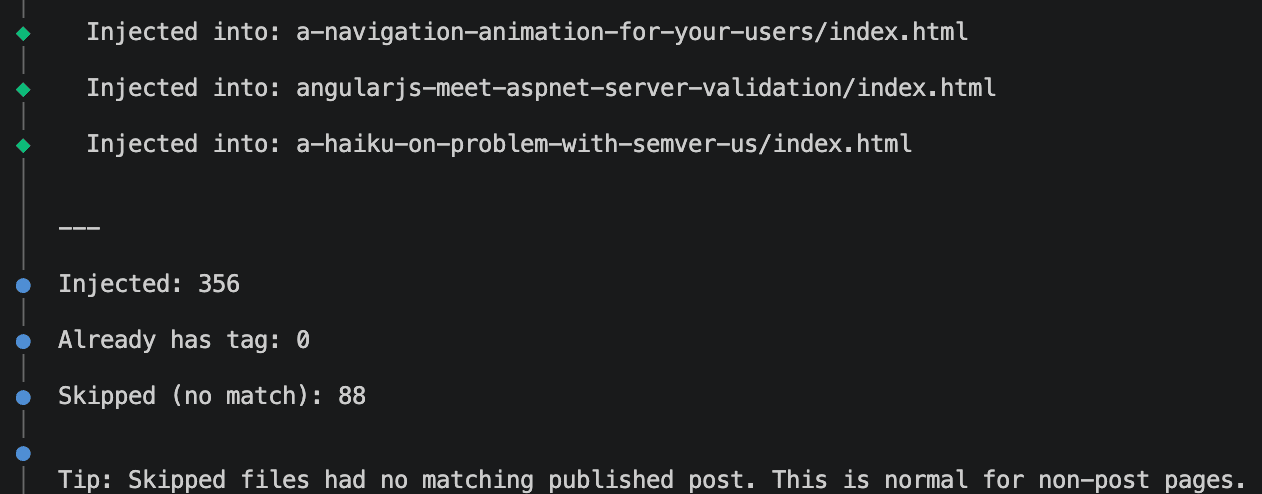
Looking at it, I wanted to check that the sequoia inject mechanism worked locally, before I shifted off to GitHub Actions. So I ran:
npm run build
npx sequoia-cli inject

Ah checkmate. Okay, time to publish locally and see what happens.
npx sequoia-cli publish
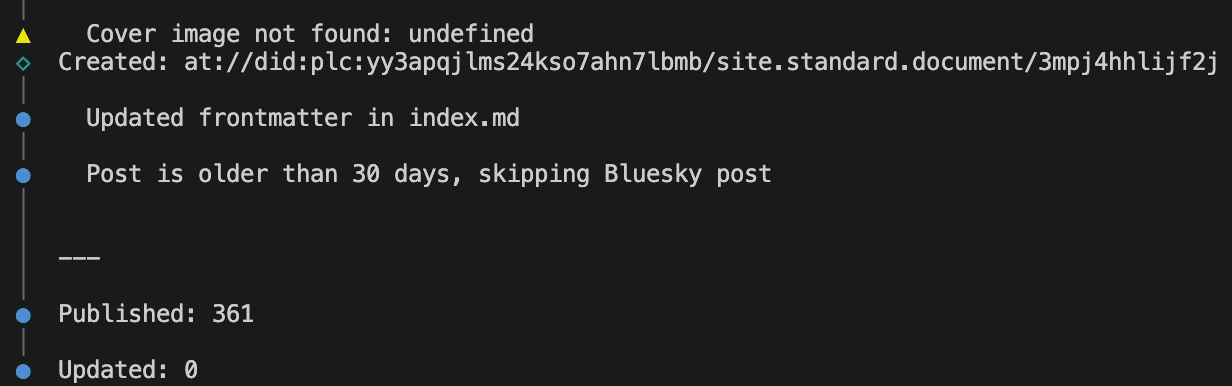
Interestingly this updated every single blog post and added an entry to the frontmatter like this:
atUri: "at://did:plc:yy3apqjlms24kso7ahn7lbmb/site.standard.document/3mr5bsb57fk2y"
And filled out a .sequoia-state.json file as well. I don't love having this frontmatter entry in every post. It feels like a build artefact; it feels noisy. The docs suggest you don't need this and can just use inject. Okay - that's what'll I'll aim for.
Now I had published, I was safe to:
npx sequoia-cli inject
I was left with a slightly adjusted GitHub Actions workflow that added in publish and inject alongside the requisite credentials.
      - name: Install and build app 🔧
        run: |
          cd blog-website
          npm ci
+          npx sequoia-cli publish
          DOCUSAURUS_SSR_CONCURRENCY=5 IS_LIVE_SITE=${{ github.event_name != 'pull_request' }} npm run build
          cp staticwebapp.config.json build/staticwebapp.config.json
+          npx sequoia-cli inject
+        env:
+          ATP_IDENTIFIER: ${{ secrets.ATP_IDENTIFIER }}
+          ATP_APP_PASSWORD: ${{ secrets.ATP_APP_PASSWORD }}
This all looked pretty good - but the only way to really test is to ship. Let's do that next.
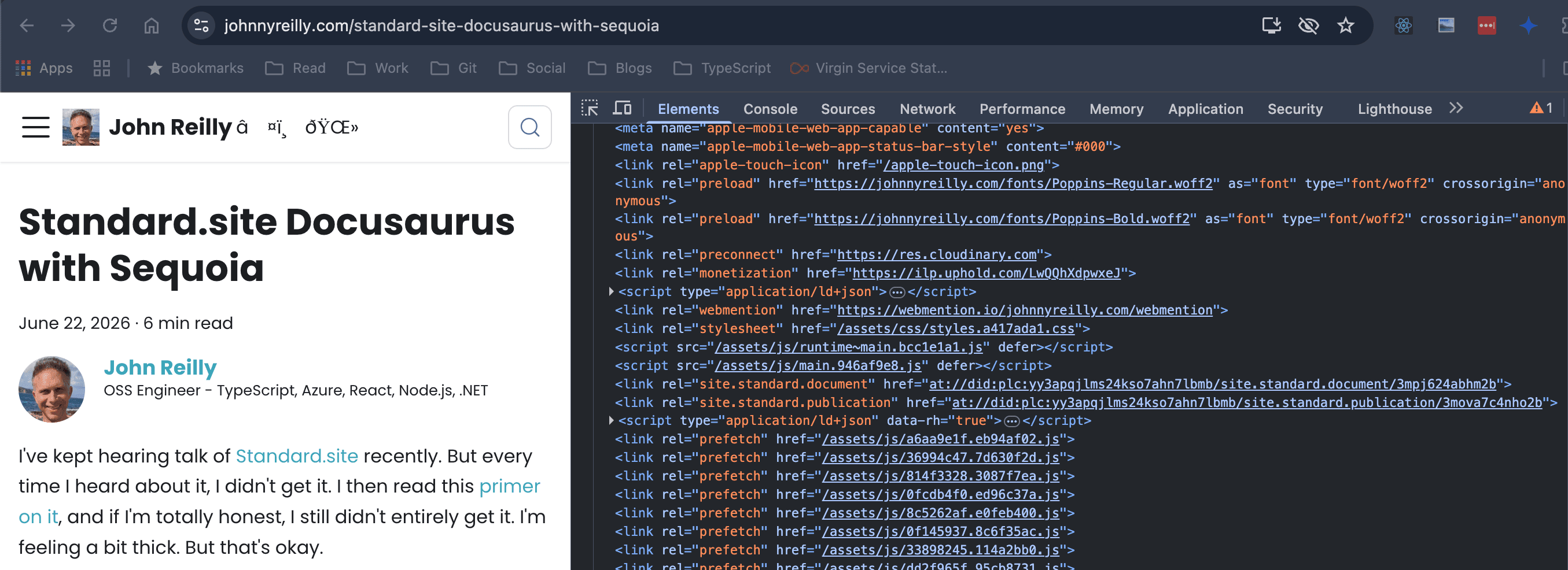
It worked. I can see the following links in the HTML of my blog:
<link
  rel="site.standard.document"
  href="at://did:plc:yy3apqjlms24kso7ahn7lbmb/site.standard.document/3mpj624abhm2b"
/>
<link
  rel="site.standard.publication"
  href="at://did:plc:yy3apqjlms24kso7ahn7lbmb/site.standard.publication/3mova7c4nho2b"
/>
Conclusion
We've now got Sequoia set up with Docusaurus - it works. Although it's not officially supported, Sequoia works with Docusaurus. It's pretty much plug and play.